

If you’re choosing between MailerLite and Mailchimp in 2026, the easiest mistake is also the most obvious one: choosing the name you already know.
Mailchimp has been around forever. MailerLite is usually the quieter option on the comparison page.
But the real difference isn’t the logo.
It’s what you actually get for the money, how much work it takes to use it, and whether the features you are paying for are features your business will ever need.
And there is a fairly large difference here.
MailerLite currently starts with a free plan for up to 250 active subscribers and 2,500 emails per month. Its paid plans now start at $12/month for Comfort and $25/month for Power at the 500-subscriber level.
Mailchimp’s Free plan also stops at 250 contacts, but limits sending to 500 emails per month. Its paid plans start at $13/month for Essentials and $20/month for Standard at 500 contacts.
That doesn’t automatically make MailerLite better.
Mailchimp has a larger integration ecosystem and deeper automation capabilities. For some businesses, those things are worth paying for.
For others, they are simply more software sitting between you and the “Send” button.
So let’s look at what actually changes when you choose one over the other.
Quick Verdict
| Criteria | MailerLite | Mailchimp |
|---|---|---|
| Best suited to | Small businesses, creators, bloggers, lean ecommerce | Businesses needing a broader marketing ecosystem |
| Free plan | 250 active subscribers / 2,500 emails | 250 contacts / 500 sends |
| Paid entry | Comfort from $12/mo | Essentials from $13/mo |
| Advanced automation | Good for standard workflows | Stronger for complex journeys |
| Visual editor | Simpler and easier to navigate | More feature-rich, more layered |
| Ecommerce automation | Yes | Yes |
| Integrations | 100+ | 300+ |
| Deliverability assessment, 2026 | 3.5/5 | 3/5 |
| Billing basis | Active subscribers | Contacts |
| Best value for smaller lists | MailerLite | — |
| Complex marketing infrastructure | — | Mailchimp |
The short version is simple.
MailerLite is generally the more economical and less complicated choice for smaller businesses and lean ecommerce operations.
Mailchimp makes more sense when you actually need its larger ecosystem, more complex customer journeys, or broader marketing infrastructure.
Neither platform wins every category.
And that is exactly why this comparison is more useful than a simple “winner vs loser” list.
1. Pricing Reality Check: What You Actually Pay in 2026
This is the part where old comparison articles can become misleading.
MailerLite changed its paid-plan structure in June 2026. The old Growing Business and Advanced names were replaced by Comfort and Power, with new limits and pricing. Existing customers are being moved to the new structure at renewal from August 13, 2026.
So if you find an article saying that MailerLite’s current plans are called Growing Business and Advanced, you’re looking at outdated information.
MailerLite
The current Free plan includes:
up to 250 active subscribers
2,500 emails per month
2 user seats
3 active automations
3 signup forms
1 landing page
1 website
1 digital product or booking
campaign A/B testing
visual automations
MailerLite says the Free plan can be used indefinitely rather than being limited to a short trial period.
The current paid entry prices are:
Comfort — from $12/month
- Power — from $25/month
At commonly used subscriber levels, the current monthly prices are:
| Active subscribers | MailerLite Comfort | MailerLite Power |
|---|---|---|
| 500 | $12 | $25 |
| 1,000 | $19 | $39 |
| 2,500 | $33 | $49 |
| 5,000 | $49 | $69 |
| 10,000 | $89 | $129 |
These are the current published monthly tiers; exact billing can vary with billing options and account status.
There is another important detail.
MailerLite bills according to active subscribers. Unsubscribed and bounced contacts do not count toward the subscriber limit.
That makes the pricing model relatively straightforward.
But there is a small technical catch worth knowing: MailerLite uses a cumulative count during the billing cycle. So an address that was active earlier in the billing period can still count for that cycle even if it is subsequently deleted.
That’s the kind of detail that matters when you’re budgeting — and the kind that usually disappears from glossy pricing comparisons.
Mailchimp
Mailchimp’s Free plan currently allows:
up to 250 contacts
500 email sends per month
250 sends per day
one audience
limited functionality
If you exceed the contact or sending limit, sending is paused until you upgrade or bring the account back within its limits.
Paid plans start at:
Essentials — $13/month for 500 contacts
Standard — $20/month for 500 contacts
At larger list sizes, current monthly prices include:
| Contacts | Essentials | Standard |
|---|---|---|
| 500 | $13 | $20 |
| 2,500 | $45 | $60 |
| 5,000 | $75 | $100 |
| 10,000 | $110 | $135 |
Premium starts at $350/month at the 10,000-contact level.
And here is the billing detail that is easy to miss. Mailchimp’s contact model can include subscribed, unsubscribed and non-subscribed contacts in the contact count. Archived, cleaned and deleted contacts are treated differently.
So two companies with exactly 5,000 people who can actually receive marketing emails may not have the same Mailchimp bill if one of them has accumulated a large number of historical contacts.
That doesn’t make Mailchimp’s pricing “bad.” It just means you need to understand what Mailchimp considers a contact before comparing the headline price.
2. The Free Plans Are Not Really Equivalent
This is one category where the difference is very clear. MailerLite gives a free account 2,500 monthly emails for up to 250 active subscribers. Mailchimp gives the same 250-contact ceiling but only 500 monthly sends. That is a fivefold difference in monthly sending capacity.
MailerLite’s Free plan also includes visual automations, a landing page, a website, forms and campaign A/B testing, although each has usage limits.
Mailchimp’s free tier is much more restricted. For someone starting a newsletter or building the first few hundred subscribers, that difference is practical. It means MailerLite can be used as a small working email system for longer before you have to start paying.
That said, neither free plan is designed for a serious growing ecommerce operation. Once the list grows, you’re moving into paid territory either way.
3. The Editor: Which One Makes You Work Less?
This is where the difference is less about features and more about experience. Mailchimp’s editor is capable.
It has drag-and-drop content blocks, templates, layouts, dynamic content and additional integrations. Mailchimp has also continued expanding its email builder and marketing features.
The problem isn’t that the editor doesn’t work. It’s that Mailchimp has a lot going on around it.
Audiences. Customer data. Journeys. Campaigns. Templates. Reports. Integrations. AI features. Ecommerce tools.
That is useful when you’re running a substantial marketing operation. It can be less useful when all you want to do is create a newsletter and get back to your actual work.
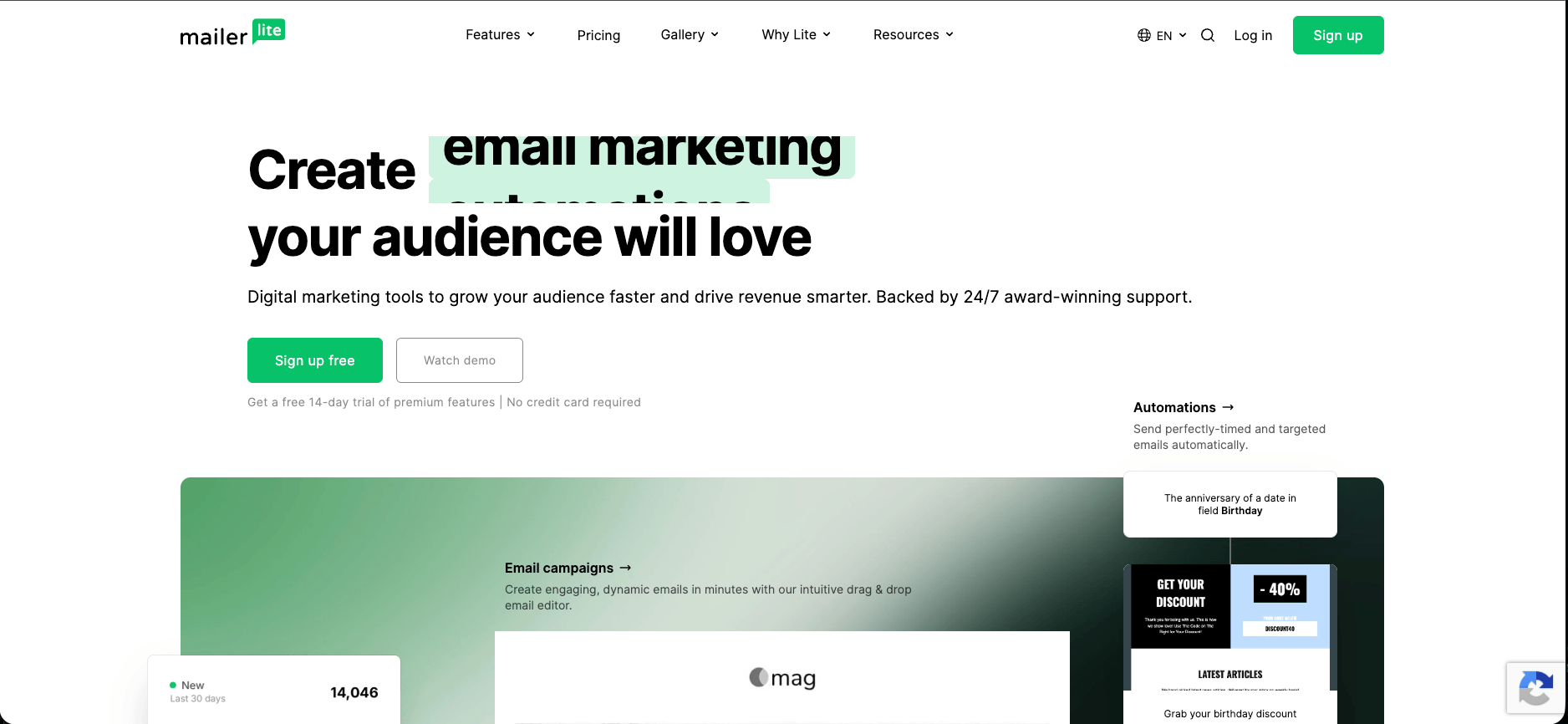
MailerLite takes a more direct approach. Its editor offers Drag & Drop, Simple and Custom HTML editing, and its current platform also includes forms, landing pages, websites and ecommerce functionality.
For a blogger, creator, designer or small business owner, that simplicity has value. You don’t need fewer features because features are bad. You need fewer obstacles between the idea and the finished email. That is one of MailerLite’s strongest practical advantages.
4. Automation: This Is Where Mailchimp Has the Bigger Ceiling
This is where I would not try to make MailerLite look like something it isn’t. Mailchimp has deeper automation capabilities.
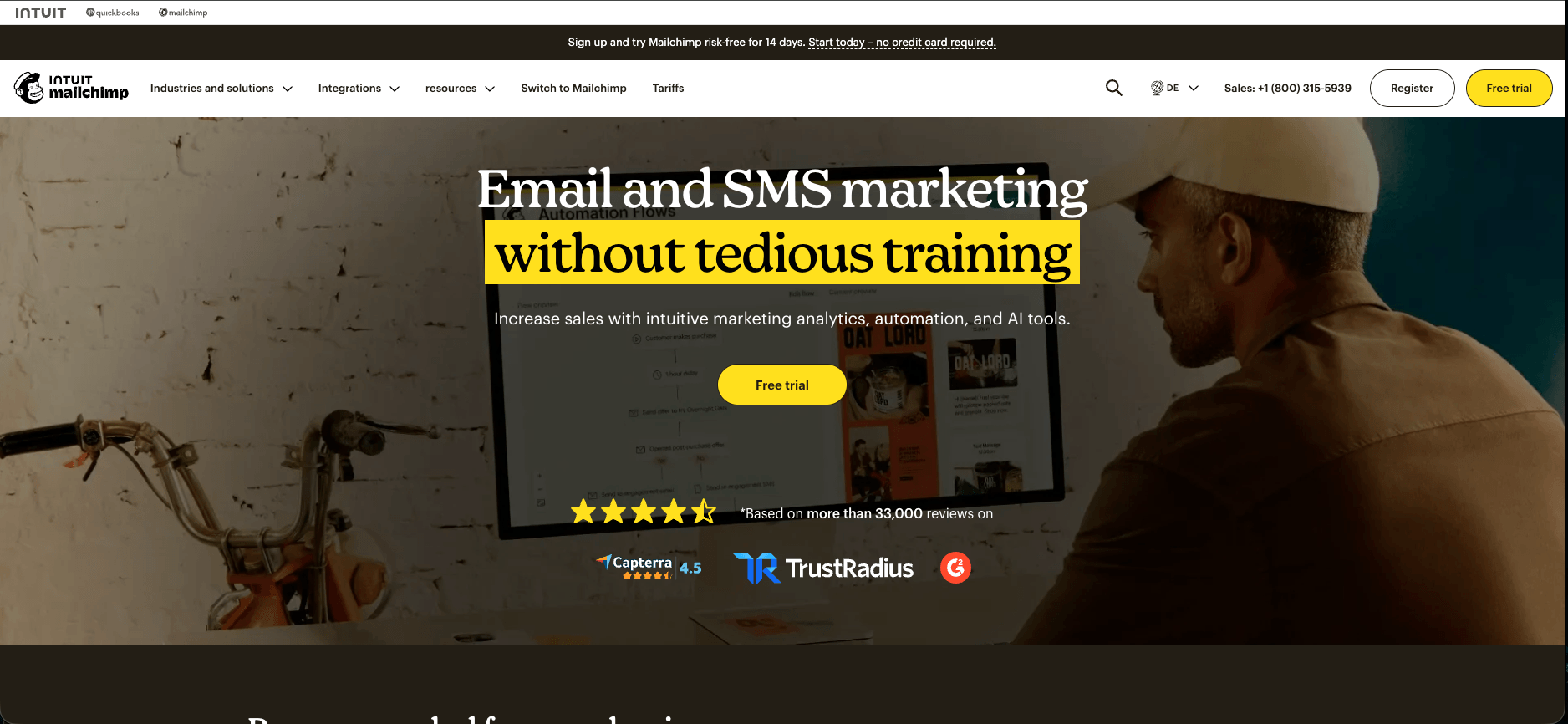
Its Customer Journey Builder allows more complicated customer journeys and branching logic, particularly on Standard and Premium plans.
That matters if your workflow looks something like: Signup → welcome sequence → product interest → purchase → post-purchase → cross-sell → inactivity → reactivation
with different branches depending on what the customer did at each stage. Mailchimp is built to handle that kind of marketing architecture. And its Standard plan is where much of that advanced functionality becomes relevant. The trade-off is price and complexity. You are not just paying for an email editor. You’re paying for a broader marketing system. If you actually use it, that can be justified. If your automation is a welcome series followed by an occasional promotional email, it may not be.
5. MailerLite Automation: Less Depth, Less Friction
MailerLite’s automation system is not as deep as Mailchimp’s. But it covers a lot of the workflows that smaller businesses actually need. You can trigger automations based on actions such as joining a group, completing a form, clicking a link, updating a subscriber field, joining a segment, an anniversary or a specific date.
For ecommerce, MailerLite currently supports triggers including:
abandoned cart
abandoned checkout
purchase of any product
purchase of a specific product
purchase from a category
purchase frequency
The exact ecommerce triggers available depend on the connected platform. For example, Shopify and BigCommerce support the listed ecommerce triggers except abandoned cart. That’s enough to build a useful system.
For example:
New subscriber → welcome email → wait → check engagement → send another email
or:
Purchase → wait → post-purchase email → wait → follow-up
or:
Abandoned checkout → reminder → second reminder
You don’t need a 200-step customer journey to do those things. MailerLite’s current Free plan allows three active automations, while Comfort allows up to 50 and Power removes the feature-use limit. So the question isn’t whether Mailchimp can build more complicated journeys. It can. The question is whether your business needs them.
6. Ecommerce: Both Can Do It
This is another area where comparison articles often exaggerate the difference. MailerLite supports ecommerce automation. Mailchimp supports ecommerce automation. Both can connect to major ecommerce platforms and use purchase-related events in marketing workflows.
MailerLite currently supports ecommerce triggers through integrations including Shopify, BigCommerce, PrestaShop, WooCommerce, Wix and others.
So if your ecommerce requirements are:
welcome emails
abandoned checkout
post-purchase follow-up
product-based segmentation
basic customer re-engagement
MailerLite can cover a lot of ground. If you need a much larger customer-data and marketing ecosystem, Mailchimp has more infrastructure around those workflows. Again, neither answer is automatically better.
The right question is how complicated your actual operation is.
7. Integrations: Mailchimp Wins
This one is straightforward. Mailchimp currently advertises more than 300 integrations. MailerLite advertises 100+ integrations.
Mailchimp’s larger ecosystem matters if your marketing stack contains many different systems and you need them talking to each other. MailerLite’s 100+ integrations are still enough for a large number of smaller businesses.
If you need Shopify, WordPress, WooCommerce, Zapier and Stripe, having 300 integrations instead of 100 doesn’t automatically improve your email marketing.
But if you need a less common CRM, analytics platform, commerce system or enterprise application, Mailchimp’s larger ecosystem can save you from building workarounds. This is a genuine Mailchimp advantage. I wouldn’t try to argue around it.
8. Deliverability: Be Careful With the Numbers
This is probably the easiest section to get wrong. You will find older MailerLite reviews quoting inbox-placement figures such as 94% or higher. You will also find Mailchimp articles quoting very high delivery percentages. The problem is that delivery rate and inbox placement are not the same thing.
An email can be accepted by the receiving server and still end up in spam. EmailTooltester changed its methodology because traditional seed-list testing became less reliable as mailbox providers changed their filtering systems. Its current approach evaluates the deliverability tools and infrastructure offered by each platform.
For 2026, EmailTooltester’s feature-based scores are:
MailerLite: 3.5/5
Mailchimp: 3/5
MailerLite gets the higher score, but the difference is not large enough for me to claim that MailerLite will automatically put your emails in the inbox while Mailchimp will send them to spam.
That’s not how deliverability works. Your sender reputation, authentication, engagement, complaint rate, list hygiene, content and sending practices all matter.
So I would treat the current data as a slight MailerLite advantage in deliverability tooling, not as a guarantee of higher inbox placement. That distinction is important.
And honestly, it’s more useful than throwing an impressive percentage into a comparison table without explaining where it came from.
9. The Hidden Cost Nobody Puts in the Pricing Table: Complexity
This is where I think the decision becomes much easier.
Imagine Business A:
3,000 subscribers
one newsletter per week
a welcome sequence
one lead magnet
abandoned checkout emails
two or three segments
Shopify
Business B:
30,000 contacts
several product lines
complex behavioral segmentation
multiple acquisition channels
CRM integration
several people working on marketing
complicated customer journeys
a large integration stack
These two businesses don’t necessarily need the same email platform.
Business A needs an email marketing tool.
Business B may need something closer to a marketing infrastructure layer.
That’s where Mailchimp’s additional complexity can become an advantage rather than a problem. The mistake is not choosing the more powerful platform. The mistake is paying for complexity your business doesn’t actually use.
The mistake is not choosing the more powerful platform. The mistake is paying for complexity your business doesn’t actually use. As we explored in our breakdown of Klaviyo vs Mailchimp 2026, platform architecture dictates your actual operating costs long before features do.
10. What Does $50 a Month Buy You?
This is perhaps the simplest way to understand the difference. At 5,000 active subscribers, MailerLite Comfort is currently $49/month and Power is $69/month. Mailchimp Essentials is $75/month and Standard is $100/month at 5,000 contacts. So at that list size, the difference is not theoretical.
MailerLite Comfort: $588 per year
MailerLite Power: $828 per year
Mailchimp Essentials: $900 per year
Mailchimp Standard: $1,200 per year
The important question is not simply:
“Which one is cheaper?”
It’s:
What am I getting for the difference? If you need Mailchimp’s deeper automation and larger ecosystem, the extra cost may be reasonable. If you don’t, the extra money isn’t buying you anything particularly useful. That’s the calculation I would make before choosing either platform.
11. Who Is MailerLite Actually For?
MailerLite makes the most sense if you’re a:
creator
blogger
consultant
small business
solo marketer
small ecommerce operator
and your email marketing consists mainly of newsletters, lead magnets, welcome sequences, promotions, segmentation and a handful of ecommerce automations.
It is also a strong option if you care about keeping the interface relatively simple and your software costs predictable as your list grows.
The current Free plan is useful enough to build a real starting system, not merely click around a demo. If that sounds like your situation, you can evaluate MailerLite here:
That is an option, not a recommendation that everyone should switch.
12. Who Is Mailchimp Actually For?
Mailchimp makes more sense when you need the things that make Mailchimp more expensive.
That can include:
a larger integration ecosystem
more complex customer journeys
advanced branching automation
multiple users and teams
broader marketing infrastructure
more complicated customer-data workflows
an existing technology stack already built around Mailchimp
It can also make sense if you are already using Mailchimp successfully and its advanced features are genuinely contributing to your marketing.
Migration has a cost too. You have to move contacts, rebuild automations, recreate templates, reconnect integrations and test everything. A cheaper monthly subscription doesn’t automatically compensate for a painful migration.
Mailchimp’s current plans and feature comparison are available here:
See Mailchimp’s current plans →
So Which One Is Actually Worth Your Money?
This is where I don’t want to give you the usual “MailerLite wins!” conclusion just because its price is lower. The answer depends on what you’re buying. MailerLite gives a smaller business a lot of useful functionality without requiring a large marketing budget. Mailchimp gives you a broader ecosystem and a higher automation ceiling.
At 5,000 contacts, the difference between the two can be substantial: roughly $49/month for MailerLite Comfort versus $100/month for Mailchimp Standard. At 10,000, it’s roughly $89 versus $135 for those respective plans.
But the cheaper number isn’t automatically the better number. If your business needs Mailchimp’s additional capabilities, the difference is the price of the infrastructure you’re actually using.
If you don’t need them, you are simply paying for capacity that sits unused. That’s the distinction I would focus on.
For a small business sending newsletters, building welcome sequences and running straightforward ecommerce automations, MailerLite is likely to provide the better value.
For a business with a more complicated marketing stack, multiple integrations and genuinely complex customer journeys, Mailchimp can justify the additional cost.
Neither platform is the universal winner. And that’s probably the most useful answer. Don’t choose Mailchimp because it’s the name you’ve known for years. Don’t choose MailerLite because it’s cheaper.
Look at your subscriber count, your actual automations, your integrations and the amount of complexity your team can realistically use.
Then pay for the platform that fits that reality. Because the most expensive email platform isn’t necessarily the one with the highest monthly price.
It’s the one you keep paying for while using 20% of what it can do.
Try the Platforms
If you want to compare them yourself, both platforms have free entry options.
MailerLite — official pricing and free plan
Mailchimp — official pricing and plans